StationCommand Help Center
Department setup, station-display pairing, Active911, mapping and Multiview, private device tracking, weather and lightning, EOC operations, StationCommand Home, analytics, and the Mission-Ready checklist.
Setup & operations
Choose a workflow. Search filters the topics below.
Start → Mission Ready
Configure the department, validate incident delivery, test displays, maps, weather, EOC, privacy, and go-live readiness.
Open full setup path → 02What's New in B.3
Mapping, managed display pairing, aircraft, Multiview, ArcGIS, Street View, mutual aid, public weather, and lightning.
Review current release → 03Active911 Setup
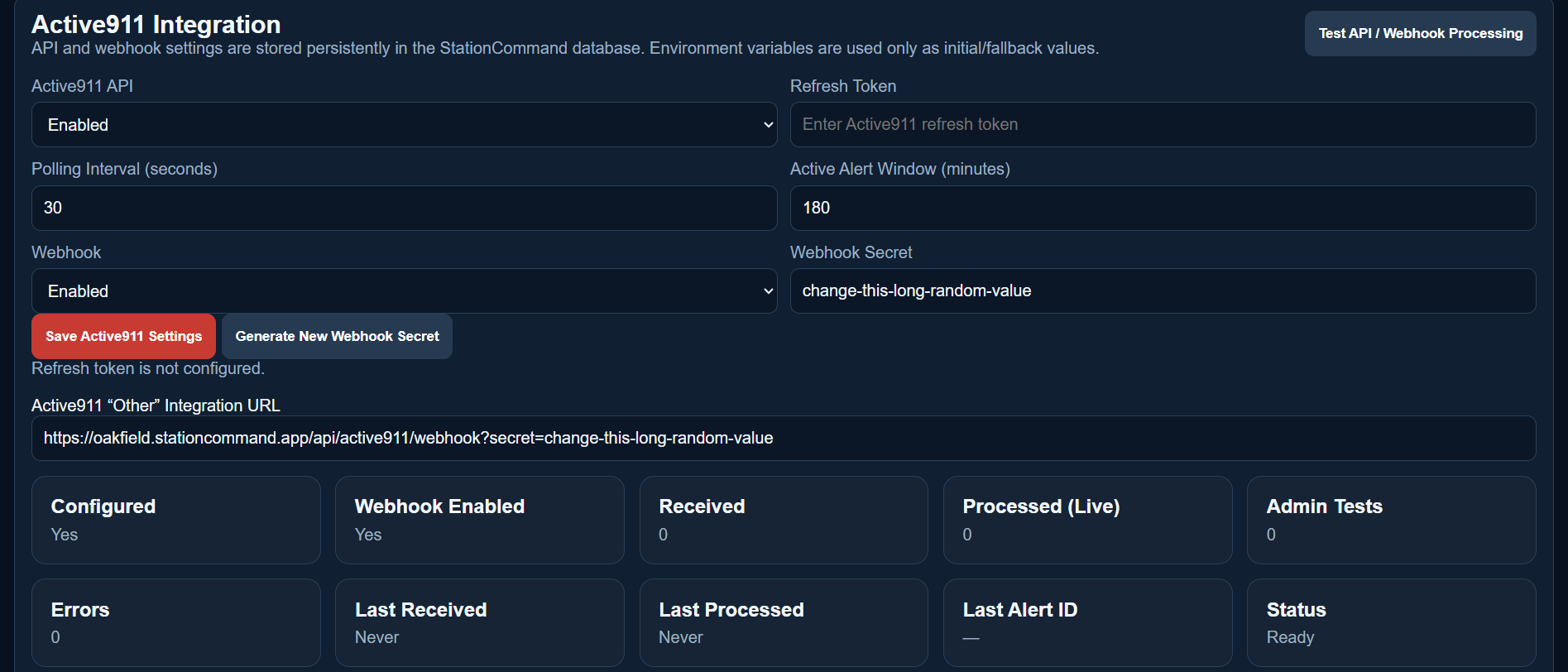
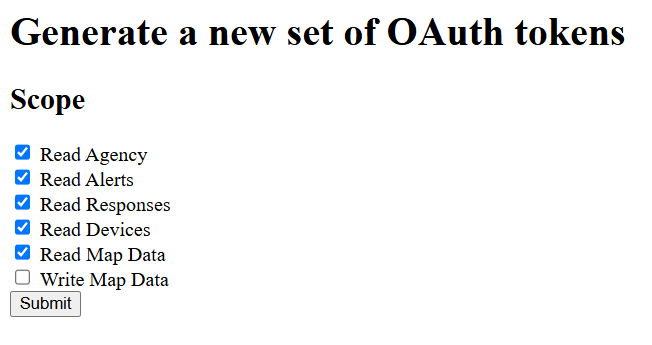
Generate the required scopes, save the Refresh Token, configure API/webhook processing, and verify delivery.
Open illustrated guide → 04Import Active911 Devices
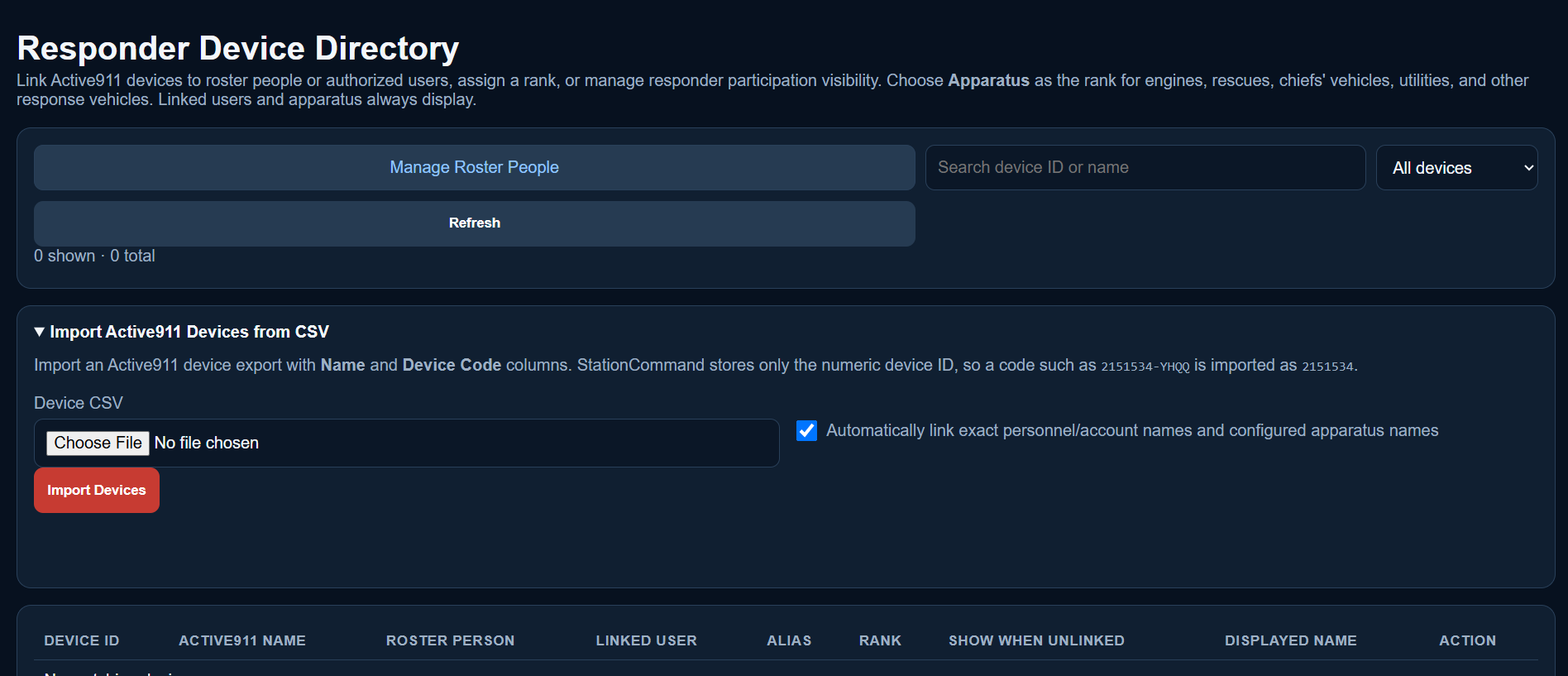
Export Name + Device Code from Active911, import the CSV at /device, and link responders and apparatus.
Open device import guide → 05Station Displays & Pairing
Pair TVs at /display, compare the six-digit code, assign stations, choose idle screens, and manage display profiles.
Open display guide → 06Mapping & Multiview
Map sources, ArcGIS, aircraft overlays, address matching, satellite priority, and Google Street View.
Open mapping guide → 07Weather & Lightning
Set the department weather point, verify NWS data, configure Xweather lightning zones, and test alert behavior.
Open weather guide → 08Private Device Tracking
Configure apparatus/responder tracking, individual opt-in, marker freshness, and StationCommand Home tracking privacy.
Open tracking guide → 09Mutual Aid
Configure CAD agency mappings, automatically count aid given, record aid received, and populate display/report summaries.
Open mutual aid guide → 10Incident Operations
Active calls, incident editing, classification, responder participation, address history, reactivation, and CSV history import.
Open incident operations → 11EOC Mode
Activate EOC, assign crews/apparatus, set call status, control the map, and use Quick Reference.
Open EOC guide → 12StationCommand Home
Configure Home instances, signed webhooks, Respond API credentials, testing, and live-tracking metadata.
Open Home guide → 13Troubleshooting
Diagnostic paths for Active911, Street View, mapping, weather/lightning, displays, tracking, licenses, and Home.
Open troubleshooting →Illustrated workflows
Current workflow screenshots supplied for Active911 and responder-device import.
Ready to place a department in service?
The B.3.2.0 Mission-Ready checklist now includes paired-display authentication, mapping, Street View/Multiview, tracking privacy, mutual aid, and optional lightning.